
Geomagic
Geomagic Studio® transforms 3D scan data and polygon meshes into accurate 3D digital models. A perfect complement to the CAD, CAE and CAM tools you already own, Geomagic Studio outputs industry standard formats including STL, IGES, STEP and native CAD files. Geomagic Studio offers both design-intent and organic shape modeling capabilities, giving you the flexibility and freedom to choose the modeling method that is most effective for your project.
Geomagic Studio is the only 3D modeling software to offer seamless integration with four major CAD packages. Geomagic’s Parametric Exchange™ feature enables users to quickly and easily create optimized, parametric CAD models, complete with model trees that are editable within Autodesk Inventor®, Pro/ENGINEER®, NX® and SolidWorks®.
Geomagic Wrap® integrates with and processes data from 3D scanners, providing powerful yet simple to use tools for point cloud and polygon mesh editing. Use Geomagic Wrap to create, repair and modify STL data to prepare for rapid manufacturing.
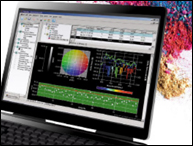
Geomagic Qualify® enables fast, accurate, graphical comparisons between digital reference models (CAD models or scanned physical models) and as-built parts for quality inspection. A comprehensive report generator integrates multiple views including 2D and 3D dimensions, cross sections and GD&T callouts, as well as charts and tables in a variety of formats.
Take advantage of Geomagic Qualify’s sophisticated analysis features to quickly assess out-of-tolerance conditions. 3D Compare creates a full color deviation map comparing the reference to the as-built part – aiding the designer’s understanding of the problems and enabling quicker turnaround time for design changes. Additional tools enable measurement of wall thickness, edge comparison, GD&T tolerances, as well as 2D and 3D dimensions.
- Increase productivity in design and manufacturing workflows by quickly and accurately creating existing parts and physical objects in 3D.
- Optimize work time by using the fastest path to CAD from scan and polygon data in your digital manufacturing process.
- Access the industry’s best tools for reverse engineering
- Leverage the physical objects you already have With Geomagic Studio, you can jump start your design process by seamlessly bringing physical forms into the digital realm – leaving more time to explore and refine concepts.
- Save valuable product development time by creating parametric models directly from 3D scan data. Geomagic Studio directly integrates its data with leading mechanical CAD packages.
- Deliver results immediately Geomagic Studio is known for its simplicity, support of standards and ease of use: Supporting a very wide range of scanning products means your data can always be used
Operating System
- Windows 7 (32 and 64 bit)
- Windows Vista SP1 (32 and 64 bit)
- Windows XP SP3 (32 and 64 bit)
Additional System Requirements
- Windows .NET Framework 3.5 SP1
- Microsoft Office 2007
CPU
- Intel 2 GHz or better / Dual or Quad core 2 GHz CPU's recommended
Memory
- 32 bit systems: Memory 1 GB minimum / 2 GB recommended minimum
- 64 bit systems: Memory 2 GB minimum / 4 GB recommended minimum
Free Disk Space
- 10 GB or more
Display
- 1280 x 1024 resolution or better
- 24-bit color depth / 36-bit color depth recommended
- Open GL 1.1 compliance
No accessories for this product.
There are no support documents listed for this product.